General Studios / Verkada Reader
Access control Beta
Tap in. Light up.
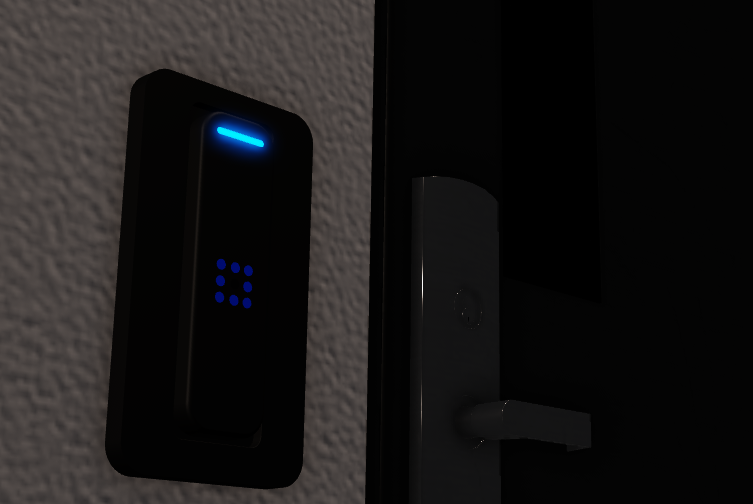
A card reader with an LED ring, light bar, beeper and card-on-reader scanning, built to plug into the XCS access-control framework. The model on this page is running its own states right now.
- LED ring & light bar
- Touch scanning
- XCS ready
Drag to rotate
What's in it
Hardware that answers back.
Everything that makes a reader feel real: lights, sound and two ways to scan.
Eight-LED ring
A ring around a centre LED and a light bar, with an animation for every state: a comet when reading, a wipe when access is granted.
Beeper
A distinct tone pattern for reading a card, granting access and denying it.
Two ways to scan
Hold the interaction prompt, or tap a card tool on the reader itself. Touch scanning has a built-in cooldown so it can't be spammed.
Built for XCS
Drops into the XCS access-control framework: create the reader with one line and call its states as the system changes.
Easy to restyle
Colours, prompt text, activation distance and sound all live in a config module, so you don't touch the driver to retheme a reader.
Tells you what's wrong
If the controller doesn't answer, the reader shows a fault pattern and prints a checklist of what to check.
The reader's states
Every colour means something.
The same states the reader runs in-game. Watch the model above cycle through them.
In Roblox
See it in the world.
Good to know
Before you buy.
One purchase, every game you own
Your license belongs to your Roblox account or group. There are no keys to manage or per-game setup.
Turn on HTTP requests
The license check needs Allow HTTP Requests switched on in your game's security settings.
Beta
We're still polishing this one. It's fully working, and updates will arrive as we go.
Ready when you are.
Buy Verkada Reader once on the Product Hub and use it in every game you own.